
 九维四界
九维四界不出意外的话,这应该是你看到的最后一个ChatGPT使用教程。不仅完全免费使用ChatGPT和GPT4,最重要的是不需要注册OpenAI账号,免登录就可以直接使用,也不限使用次数。那我在想那些买的账号然后被封的应该得哭死。那今天分享的网站不...
Tag:安卓手机AndroidApp推荐装机必备软件ChatGPTgpt4.0ChatGPT4.0AI手机绘画软件ChatGPT安卓版下载open AI中文版网站02月04日
import openai
from flask import Flask, request, jsonify

app = Flask(__name__)
openai.api_key = "YOUR_API_KEY"

@app.route('/chat', methods=['POST'])
def chat():
    message = request.json['message']
    prompt = f"User: {message}\nChatbot:"
    completions = openai.Completion.create(
        engine="davinci",
        prompt=prompt,
        max_tokens=1024,
        n=1,
        stop=None,
        temperature=0.5,
    )
    response = completions.choices[0].text.strip()
    return jsonify({'message': response})

if __name__ == '__main__':
    app.run(debug=True)
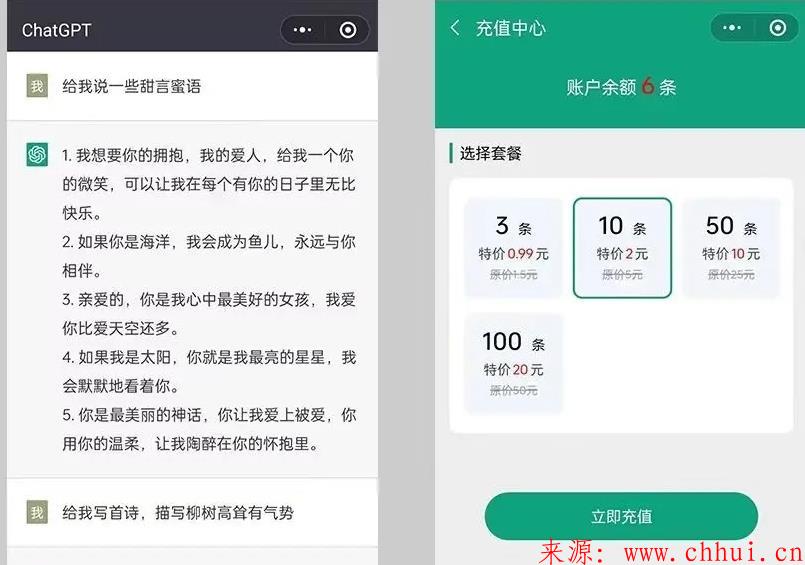
这段代码使用OpenAI Python客户端与ChatGPT API进行交互,并使用Flask创建了一个名为“/chat”的路由来处理POST请求。当应用程序收到POST请求时,它将提取请求的消息并将其用作ChatGPT API的输入,然后返回API的输出作为JSON格式的响应。python app.py
编写前端代码
Page({
  data: {
    messages: [],
    message: '',
  },

  onMessageInput: function (event) {
    this.setData({message: event.detail.value});
  },

  onSendMessage: function () {
    const that = this;
    wx.request({
      url: 'http://localhost:5000/chat',
      method: 'POST',
      header: {'Content-Type': 'application/json'},
      data: {message: this.data.message},
      success: function (res) {
        that.setData({
          messages: [...that.data.messages, {text: that.data.message, isUser: true}],
          message: '',
        });
        setTimeout(function () {
          that.setData({
            messages: [...that.data.messages, {text: res.data.message, isUser: false}],
          });
        }, 500);
      },
    });
  },
})
继续浏览有关 ChatGPT 的文章
不出意外的话,这应该是你看到的最后一个ChatGPT使用教程。不仅完全免费使用ChatGPT和GPT4,最重要的是不需要注册OpenAI账号,免登录就可以直接使用,也不限使用次数。那我在想那些买的账号然后被封的应该得哭死。那今天分享的网站不...
Tag:安卓手机AndroidApp推荐装机必备软件ChatGPTgpt4.0ChatGPT4.0AI手机绘画软件ChatGPT安卓版下载open AI中文版网站ChatGPT是一款强大的工具,能够重塑数字交流与创作。它具有出色的自然语言处理能力,可以快速理解并回答各种问题,提供准确、有用的信息。无论是用于写作、编程还是社交媒体交流,ChatGPT都能显著提高效率和创作质量,为数字时代带来革命性的变...
Tag:ChatGPT数字交流与创作重塑工具